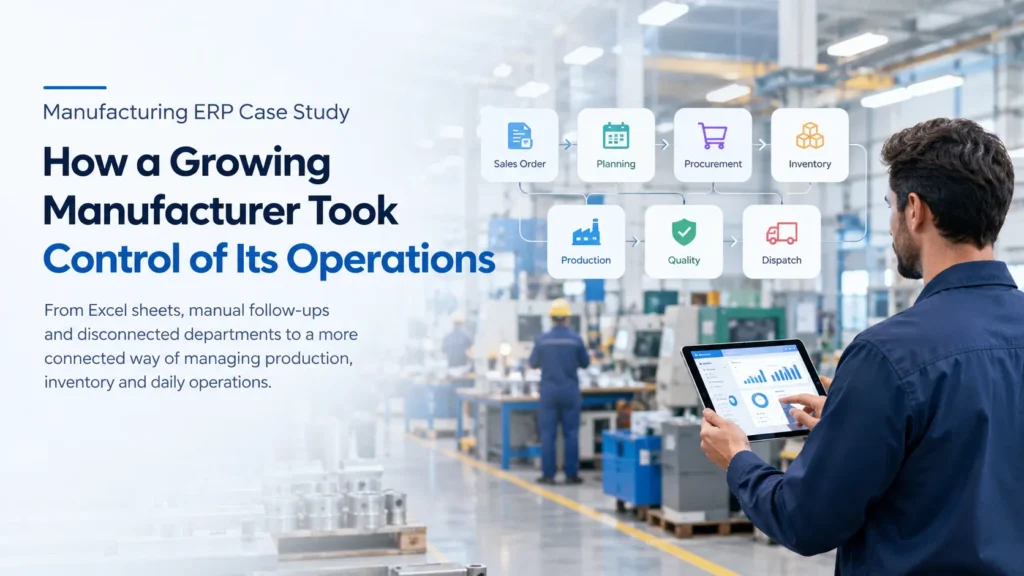
From Excel sheets, manual follow-ups and disconnected departments to a more connected way of managing production, inventory and daily operations.
Running a manufacturing business is not as simple as receiving an order and producing the required quantity.
Behind every finished product are dozens of decisions.
- Is the raw material available?
- Has the purchase order been placed?
- Can production complete the order on time?
- Which batch was used?
- What is currently on the shop floor?
- How much stock is actually available?
- Did the product pass quality inspection?
- And perhaps the most important question for management: What is happening in the factory right now?
For one growing manufacturing business, answering these questions was becoming increasingly difficult.
The company had good people, experienced production teams and a growing customer base. But its systems had not grown at the same speed.
That was when the company started looking seriously at a manufacturing ERP.
Explore Jurysoft Manufacturing ERP: https://jurysoft.com/erp/manufacturing-erp/
The Company Was Growing. The Process Wasn’t.
The company had reached a stage where its existing way of working was starting to create problems.
Different teams used different spreadsheets and systems.
The production team had its own records.
The stores team maintained inventory information.
Purchase teams tracked suppliers and orders separately.
Quality maintained inspection details.
Finance worked with accounting software.
Management depended on reports collected from different departments.
None of these processes were necessarily wrong on their own.
The problem was that they didn’t always talk to each other.
A production manager might know that an order was urgent, while the purchase team was still waiting for a material requirement.
The stores team might know that stock was available, but production might not have the latest inventory information.
Management could ask for the current production status, but getting an accurate answer could take time.
As the company grew, these small gaps became bigger operational problems.
The Monday Morning Problem
One of the biggest challenges became visible during production planning.
Imagine a customer order comes in on Monday morning.
The production manager needs to know:
- What needs to be produced?
- When does the customer need it?
- Do we have enough raw materials?
- Is the required material already reserved?
- Which machines or workstations are available?
- What other jobs are already scheduled?
- Are there any pending purchase orders?
- Is there enough capacity to complete the order?
Previously, answering these questions often meant checking multiple spreadsheets, calling different people and waiting for updates.
And every extra handoff created another opportunity for something to be missed.
The company realized that the problem wasn’t simply “too much data.”
The problem was that the data was in too many places.
Where Things Started Going Wrong
The company identified several recurring issues.
Production Planning Was Taking Too Long
Production schedules were frequently maintained in spreadsheets.
When an order changed, the planner had to manually update schedules and communicate the changes to other teams.
A small change could therefore create several follow-up tasks.
Inventory Wasn’t Always Clear
There was a difference between knowing that stock existed and knowing whether that stock was actually available for a particular production order.
Raw materials could be physically present but already committed to another job.
That distinction mattered.
Purchasing Was Often Reactive
Sometimes purchasing discovered a material shortage only after production planning had already started.
That meant waiting for the material could affect the entire production schedule.
Quality Information Was Separate
Quality inspection records existed, but they weren’t always closely connected to production records.
When an issue occurred, teams sometimes had to search through different records to understand what happened.
Management Wanted One Simple Answer
Management didn’t necessarily want another complicated report.
They wanted straightforward answers:
- What are we producing?
- What is delayed?
- What materials are short?
- How much stock do we have?
- Which orders are at risk?
- Where are the current bottlenecks?
Getting those answers quickly was becoming increasingly important.
The Decision: Connect the Process
The company started evaluating manufacturing ERP solutions.
The goal wasn’t simply to replace Excel.
That would have missed the real problem.
The company wanted to connect the different steps of its manufacturing process.
The desired workflow looked something like this:
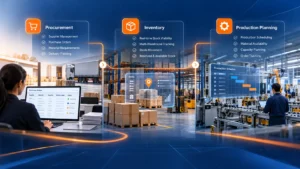
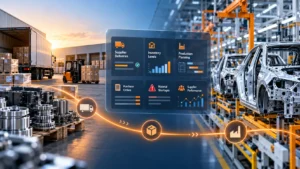
Customer Order → Production Planning → Material Requirement → Procurement → Inventory → Production → Quality → Finished Goods → Dispatch
Instead of each department managing its own part of the process independently, information could move from one stage to the next.
That became the foundation of the ERP implementation.
Starting With the Manufacturing Process
One important lesson from the project was that ERP should not begin with a list of software features.
It should begin with a simple question:
How does the business actually work today?
The manufacturing workflow was mapped from the beginning.
The team looked at how an order entered the company, how production was planned, how materials were checked, how purchases were made, how production was recorded, how quality was handled and how finished goods were dispatched.
This helped identify where information was being lost or duplicated.
Only then was the ERP workflow designed.
Connecting Sales With Production
Once a customer order was confirmed, the requirement could flow into production planning.
The production team could review the order and determine:
- What product needs to be manufactured
- How many units are required
- When they are required
- What materials are needed
- What is already available
- What needs to be purchased
- What production capacity is available
This created a much clearer connection between what the customer ordered and what the factory needed to produce.
Making the BOM More Useful
A Bill of Materials isn’t just a list of components.
For the production team, it represents what is actually required to manufacture a product.
With the ERP, product structures and BOM information could be maintained centrally.
The system could connect the BOM with:
- Material requirements
- Production orders
- Inventory
- Purchasing
- Production operations
- Costing
This reduced the dependency on individual spreadsheets and helped different teams work from the same product information.
Knowing What Materials Are Really Available
One of the most useful changes was improving the connection between inventory and production.
The company could distinguish between:
Stock physically available
and
Stock actually available for a particular requirement.
For example, imagine the factory has 1,000 units of a component.
At first glance, that sounds sufficient.
But if 700 units are already committed to another production order, only 300 may really be available for the new requirement.
Having this information connected to production planning helps prevent unpleasant surprises later.
Purchasing Before the Shortage Becomes a Problem
Previously, purchasing could become involved after a shortage had already affected planning.
With a connected ERP workflow, material requirements could be reviewed earlier.
The purchasing team could see:
- What materials are required
- How much is available
- What has already been ordered
- What is still pending
- Which production orders depend on those materials
This made purchasing more proactive.
Instead of asking:
“Are we short of anything?”
the team could ask:
“What will we need for the production coming up?”
That is a much better question for a growing manufacturer.
Bringing the Shop Floor Into the System
Planning is only half the story.
The factory still has to produce the goods.
The ERP could connect planned production with actual production activity.
Teams could record information such as:
- Production quantities
- Completed operations
- Material consumption
- Rejected quantities
- Work-in-progress
- Production status
- Production time
This gave management a better understanding of the difference between what was planned and what actually happened.
And that difference is where many manufacturing problems become visible.
Quality Became Part of the Process
Quality shouldn’t be something that happens only at the end of production.
The company wanted quality checks to be part of the manufacturing workflow.
This meant creating checkpoints such as:
Incoming Inspection
Is the purchased material acceptable?
In-Process Inspection
Is production meeting the required specifications?
Final Inspection
Is the finished product ready to be dispatched?
Quality information could then be connected to the relevant production records.
If a problem occurred, the team had a clearer starting point for investigation.
Traceability When Something Goes Wrong
This was particularly important.
Manufacturing problems don’t always announce themselves immediately.
A quality issue may be discovered days or weeks after production.
At that point, the team may need to answer:
Which batch was used?
Where did the material come from?
Which production order used it?
What quantity was affected?
Which finished products were produced from that material?
A connected ERP system can make this investigation much easier by maintaining relationships between materials, production orders, batches and finished goods.
Instead of searching through several disconnected records, teams can follow the production trail.
What Changed for Management?
Perhaps the biggest change wasn’t on the shop floor.
It was the visibility management gained into the business.
Earlier, management often had to ask different people for different pieces of information.
Now the questions could be approached through a centralized system.
For example:
Production:
Which orders are currently being manufactured?
Inventory:
Which materials are running low?
Procurement:
Which purchase orders are still pending?
Quality:
What products have failed inspection?
Sales:
Which customer orders are approaching their delivery date?
Management:
Which orders are at risk?
These questions are connected.
And that’s the real value of ERP.
Before and After
| Area | Earlier | With Manufacturing ERP |
|---|---|---|
| Production Planning | Multiple spreadsheets | Centralized planning |
| Inventory | Separate records | Connected inventory visibility |
| Purchasing | Often reactive | Linked to material requirements |
| BOM | Files maintained separately | Centralized product structure |
| Production | Manual status updates | Production order tracking |
| Quality | Separate records | Connected with production |
| Traceability | Manual investigation | Linked production records |
| Reporting | Manual consolidation | Centralized operational information |
| Management | Dependent on updates | Better real-time visibility |
The Real Benefit Wasn’t “More Software”
It is easy to think that an ERP implementation is about adding more technology.
For this manufacturer, that wasn’t the real objective.
The objective was to reduce the amount of time employees spent finding, checking, reconciling and communicating information.
The production manager shouldn’t have to call three people to find out whether a material is available.
The purchase team shouldn’t have to wait for a spreadsheet to understand upcoming requirements.
Management shouldn’t have to wait until the end of the day for a production report.
The quality team shouldn’t have to search through multiple files to trace a production issue.
A connected ERP gives these teams a common operational foundation.
What Manufacturers Can Learn From This
This case highlights something many growing manufacturers eventually discover:
Operational complexity grows faster than expected.
A business may start with a few spreadsheets and a small team.
That works.
Then orders increase.
More products are introduced.
More suppliers are added.
More employees join.
Production becomes more complicated.
Customers expect shorter delivery times.
Quality requirements increase.
And suddenly, the same processes that worked five years ago start creating bottlenecks.
That’s usually the point where manufacturers begin asking whether they need ERP.
Is Your Manufacturing Business Ready for ERP?
You may not need an ERP simply because you are a manufacturer.
But it is worth evaluating if your team regularly says things like:
“Which Excel file has the latest information?”
“Can you check with stores?”
“Has the purchase order been raised?”
“Is that material already allocated?”
“What is the current production status?”
“I’ll prepare the report and send it later.”
“We need to check the previous batch.”
If these conversations happen regularly, your biggest problem may not be lack of data.
It may be lack of connection between your data and processes.
Building a Manufacturing ERP Around Your Business
Every manufacturer has its own way of working.
A job shop isn’t the same as a process manufacturer.
An automotive component manufacturer isn’t the same as an electronics manufacturer.
An aerospace supplier isn’t the same as a consumer-products manufacturer.
That is why manufacturing ERP should be evaluated around your actual workflow.
The right questions are:
- How do customer orders become production orders?
- How are materials planned?
- How is inventory allocated?
- How is production scheduled?
- How are shop-floor activities recorded?
- How are quality checks performed?
- How is traceability maintained?
- How is manufacturing cost calculated?
- What does management need to see every morning?
Once those questions are answered, ERP becomes much more than a software purchase.
It becomes a way of running the business.
A Better Way to Manage Manufacturing
The company didn’t need another spreadsheet.
It needed its existing information to work together.
That meant connecting:
Orders
→ Planning
→ Materials
→ Purchasing
→ Inventory
→ Production
→ Quality
→ Finished Goods
→ Dispatch
→ Management Insights
That’s what a modern manufacturing ERP should ultimately help achieve.
For manufacturers dealing with growing order volumes, complex production workflows, inventory challenges and increasing customer expectations, a connected ERP can provide the operational foundation needed to scale more confidently.
Looking to Improve Your Manufacturing Operations?
Jurysoft Manufacturing ERP helps businesses bring key manufacturing processes into a connected ERP environment, covering areas such as production, inventory, procurement, quality and operational visibility.
If your manufacturing team is spending too much time managing spreadsheets, following up between departments or preparing reports manually, it may be time to look at a more connected approach.
Explore Jurysoft Manufacturing ERP: https://jurysoft.com/erp/manufacturing-erp/
Talk to Jurysoft about your manufacturing workflow and find out how an ERP can fit your business.