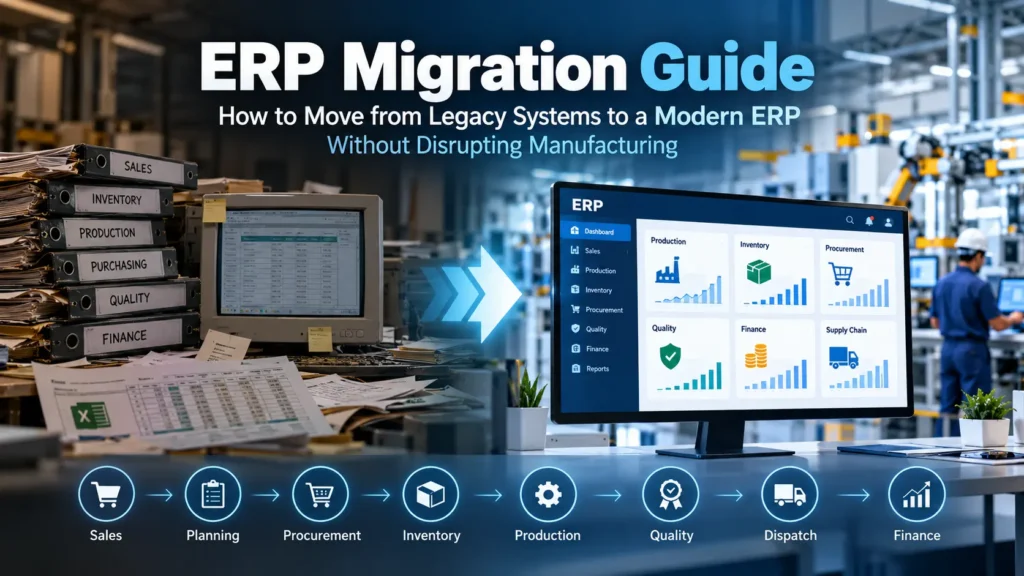
ERP migration is more than replacing old software with a new system. For a manufacturing business, it can affect production planning, inventory, procurement, quality control, finance, sales, supply chain, and shop-floor operations.
When migration is poorly planned, businesses can face inaccurate inventory, duplicate data, production delays, reporting problems, employee resistance, and unexpected costs.
When planned correctly, ERP migration can create a connected operational environment where business leaders have better visibility, teams work from the same data, and manufacturing processes become easier to control.
This guide explains how to plan and execute an ERP migration step by step, including data migration, system selection, testing, deployment, risk management, and post-migration optimization.
What Is ERP Migration?
ERP migration is the process of moving business operations, data, configurations, integrations, and workflows from an existing ERP or collection of disconnected systems into a new ERP platform.
A migration may involve moving from:
- Legacy ERP software
- Spreadsheets and manual processes
- Multiple disconnected business applications
- An outdated on-premise ERP
- A basic accounting system
- An ERP that no longer supports business growth
- One ERP platform to another
- An on-premise system to a cloud ERP
For manufacturers, migration is particularly complex because ERP systems are connected to operational processes such as:
Sales → Planning → Procurement → Inventory → Production → Quality → Dispatch → Finance
Changing one part of this chain can affect multiple departments.
Why Do Businesses Migrate to a New ERP?
ERP migration usually happens when the existing system becomes a business constraint rather than an operational advantage.
Common reasons include:
1. The existing ERP cannot scale
A system that worked for a small manufacturing company may struggle when the business adds:
- New production locations
- More SKUs
- More customers
- More suppliers
- Multiple warehouses
- Additional manufacturing processes
- International operations
2. Too much manual work
Employees may still rely on Excel, emails, phone calls, or manual data entry to complete processes that should be automated.
For example:
A production manager may have to manually combine sales orders, inventory information, machine availability, and material requirements before creating a production plan.
A modern ERP can bring these data points together.
3. Data is fragmented
Finance may use one application.
Production may use another.
Inventory may be managed through spreadsheets.
Sales may use a CRM.
Quality teams may maintain separate records.
This creates multiple versions of the truth.
4. Poor manufacturing visibility
Management may struggle to answer basic questions such as:
- What is currently in production?
- Which orders are delayed?
- Which materials are short?
- What is the current inventory value?
- Which machines are underutilized?
- What is the production cost?
- Which jobs are failing quality checks?
- What is the actual order-to-delivery status?
5. The existing ERP is difficult to customize
Manufacturing businesses often develop unique workflows.
If the ERP cannot accommodate important processes, employees may create workarounds outside the system.
Over time, these workarounds become operational risks.
ERP Migration vs ERP Implementation
These terms are often used interchangeably, but they are not exactly the same.
ERP implementation focuses on introducing an ERP system into the organization.
ERP migration focuses on moving existing data, processes, configurations, and integrations from an existing environment into the new system.
A project can involve both.
For example:
A manufacturer replacing its legacy ERP with a custom manufacturing ERP is undertaking both an ERP implementation and an ERP migration.
The ERP Migration Process: 10 Key Steps
A successful ERP migration should follow a structured process rather than simply exporting data from one system and importing it into another.
Step 1: Define the Business Case
Before discussing technology, determine why the business needs migration.
Start by documenting the current problems.
For example:
| Current Problem | Business Impact |
|---|---|
| Manual production planning | Planning delays |
| Inaccurate inventory | Purchasing problems |
| Disconnected quality records | Traceability gaps |
| Duplicate data entry | Employee productivity loss |
| Limited reporting | Slow decision-making |
| Poor system integration | Operational delays |
| Outdated ERP | Limited scalability |
Then define what the new ERP should accomplish.
Possible objectives include:
- Improve production visibility
- Reduce manual data entry
- Improve inventory accuracy
- Automate purchasing
- Improve production planning
- Strengthen quality management
- Improve traceability
- Integrate finance and operations
- Improve management reporting
- Support multiple locations
The migration should have measurable business objectives.
Step 2: Audit the Existing ERP
Before moving anything, understand what currently exists.
Conduct a complete ERP audit.
Review the current system
Identify:
- Modules currently used
- Customizations
- Workflows
- Reports
- User roles
- Integrations
- APIs
- Databases
- Master data
- Historical transactions
- Documents
- Third-party applications
- Automated processes
Do not assume every feature in the existing ERP needs to be migrated.
Some features may no longer be relevant.
Step 3: Map Existing Business Processes
Technology should follow business processes, not the other way around.
Document how each department currently works.
For manufacturing, process mapping may include:
Sales
Lead → Quotation → Sales Order → Delivery
Production
Sales Order → Production Planning → Material Requirement → Work Order → Production → Quality Inspection → Finished Goods
Procurement
Material Requirement → Purchase Request → Purchase Order → Goods Receipt → Inspection → Inventory
Inventory
Goods Receipt → Storage → Material Issue → Production → Finished Goods → Dispatch
Finance
Purchase → Accounts Payable → Sales → Accounts Receivable → Payments → Financial Reporting
Then identify where the existing process creates bottlenecks.
Step 4: Decide What Data Should Be Migrated
One of the biggest ERP migration mistakes is attempting to move everything.
Not all historical data needs to be migrated.
Divide information into categories.
Master Data
Usually high priority:
- Customer records
- Supplier records
- Product records
- Material master
- Bill of Materials
- Routing
- Warehouses
- Units of measurement
- Price lists
- Employee records
- Chart of accounts
Transactional Data
Examples:
- Open sales orders
- Open purchase orders
- Open production orders
- Current inventory
- Outstanding invoices
- Outstanding payments
- Active quality records
Historical Data
Examples:
- Old sales orders
- Previous purchase orders
- Completed production orders
- Historical invoices
- Old inventory movements
- Archived quality records
Historical data can sometimes remain in an archive rather than being moved into the new ERP.
Step 5: Clean and Standardize Data
Data migration is not simply a technical exercise.
It is an opportunity to remove bad data.
For example, the existing database may contain:
Customer A
ABC Pvt Ltd
ABC Private Limited
ABC PVT. LTD
These could all represent the same customer.
Similarly, products may have inconsistent naming conventions.
Before migration:
MTR-001
Motor 1
Motor-01
MOTOR001
After standardization:
MTR-001 | Industrial Motor | 5HP
Data cleansing should address:
- Duplicate records
- Missing information
- Incorrect values
- Inconsistent naming
- Invalid codes
- Old products
- Inactive customers
- Incorrect units
- Duplicate suppliers
- Outdated addresses
Clean data improves the quality of the new ERP.
Step 6: Build a Data Migration Strategy
A migration strategy should define exactly how data will move from the old system to the new system.
A typical flow is:
Legacy ERP → Data Extraction → Data Cleaning → Data Mapping → Transformation → Validation → New ERP
Data extraction
Export information from the existing system.
Data transformation
Convert existing data into the structure required by the new ERP.
For example:
Legacy system:
Product Code | Product Name | Qty
New ERP:
Item Code | Item Name | Category | UOM | Warehouse | Opening Stock
Data mapping
Create a field-by-field mapping document.
| Legacy Field | New ERP Field |
|---|---|
| Customer_ID | Customer Code |
| Customer_Name | Customer Name |
| Product_ID | Item Code |
| Product_Name | Item Name |
| Stock_Qty | Opening Quantity |
| Supplier_ID | Supplier Code |
This mapping prevents data from being placed into incorrect fields.
Step 7: Configure and Customize the New ERP
Once requirements and data structures are understood, configure the new ERP.
Manufacturing ERP configuration may include:
- Production planning
- BOM management
- Routing
- Work orders
- Material requirements planning
- Inventory management
- Procurement
- Sales
- Quality management
- Maintenance
- Warehouse management
- Finance
- Dashboards
- Approval workflows
- Traceability
Customization should be carefully controlled.
A common mistake is recreating every limitation of the old ERP inside the new system.
Instead, ask:
“Is this process still necessary?”
Then determine whether it should be:
- Standardized
- Automated
- Configured
- Customized
- Removed
Step 8: Integrate the ERP With Other Systems
Your ERP rarely operates alone.
Depending on the business, integrations may include:
- CRM
- Accounting systems
- E-commerce platforms
- Payment gateways
- Banking systems
- Payroll
- Warehouse systems
- Barcode scanners
- IoT devices
- Machine monitoring systems
- Shipping platforms
- Supplier portals
- Customer portals
- Business intelligence tools
For manufacturing businesses, shop-floor integration can be particularly valuable.
For example:
Machine → Production Data → ERP → Dashboard
This can provide management with more current operational information.
Step 9: Test Before Going Live
Never move directly from migration development to production.
Testing should happen in multiple stages.
Unit Testing
Test individual functions.
Example:
Can the system create a purchase order correctly?
Integration Testing
Test connected processes.
Example:
Sales Order → Production Planning → Material Requirement → Purchase Order
Data Testing
Verify that migrated data is accurate.
Check:
- Customer counts
- Supplier counts
- Product counts
- Inventory quantities
- Financial balances
- Open orders
- BOMs
- Production records
User Acceptance Testing
Actual users should perform realistic business scenarios.
For example:
Create a sales order → check stock → generate production requirement → issue materials → complete production → perform quality inspection → dispatch finished goods.
This reveals problems that technical testing may miss.
Step 10: Plan the ERP Go-Live
ERP migration should have a clearly defined cutover plan.
A typical cutover includes:
Before Go-Live
- Freeze migration scope
- Complete final testing
- Back up legacy system
- Clean final data
- Prepare migration scripts
- Train users
- Confirm integrations
- Confirm user access
- Prepare support team
Migration Day
- Stop selected transactions in the legacy system
- Extract final data
- Transform data
- Load data into the new ERP
- Validate critical records
- Test key workflows
- Confirm financial and inventory balances
- Activate users
After Go-Live
- Monitor system performance
- Track errors
- Resolve user issues
- Validate transactions
- Monitor integrations
- Compare operational reports
- Provide user support
ERP Migration Strategies
There is no single migration strategy that works for every organization.
1. Big Bang Migration
Everything moves to the new ERP at once.
Advantages
- Faster transition
- One system after go-live
- No long-term dual-system operation
Risks
- Higher implementation risk
- Greater disruption if problems occur
- Requires extensive testing
This approach may work for organizations with relatively controlled processes and strong migration preparation.
2. Phased Migration
The organization migrates in stages.
For example:
Phase 1: Finance
Phase 2: Inventory
Phase 3: Procurement
Phase 4: Production
Phase 5: Quality
Phase 6: Advanced analytics
Advantages
- Lower immediate risk
- Easier change management
- Problems can be isolated
Disadvantages
- Longer implementation period
- Temporary integration requirements
- Some teams may operate on different systems
3. Parallel Running
The old and new ERP systems operate simultaneously for a defined period.
This provides an opportunity to compare results.
For example:
New ERP inventory:
12,450 units
Legacy ERP inventory:
12,450 units
If values differ, the team investigates before completely shutting down the legacy system.
Benefit
Greater confidence before final transition.
Risk
Employees may need to maintain data in two systems, increasing workload.
4. Pilot Migration
A limited business unit, plant, product category, or location moves first.
For example:
Plant A → New ERP
After successful validation:
Plant B → New ERP
This approach can reduce risk for organizations with multiple manufacturing locations.
How Long Does ERP Migration Take?
There is no universal timeline.
The duration depends on:
- Company size
- Number of users
- Number of locations
- Data volume
- Data quality
- Manufacturing complexity
- Number of integrations
- Customization requirements
- Regulatory requirements
- Migration strategy
- User readiness
A small business with limited integrations may complete migration relatively quickly.
A multi-location manufacturer with complex production, quality, traceability, finance, and supply-chain requirements may require a significantly longer program.
The important point is to avoid selecting a timeline first and then forcing the project into it.
Common ERP Migration Risks
1. Poor Data Quality
Garbage data transferred into a new ERP remains garbage data.
Solution
Conduct data profiling and cleansing before migration.
2. Incomplete Requirements
If critical workflows are discovered late, customization and testing can become expensive.
Solution
Conduct detailed process workshops before development and migration.
3. Excessive Customization
Trying to recreate every old workflow can make the new ERP unnecessarily complicated.
Solution
Challenge every customization.
Ask:
Does this solve a genuine business requirement?
4. Insufficient Testing
Testing only individual modules is not enough.
Manufacturing processes are interconnected.
Solution
Test complete end-to-end workflows.
5. Employee Resistance
Employees accustomed to spreadsheets or the legacy ERP may resist changing their workflows.
Solution
Include users early.
Demonstrate how the new ERP improves their daily work rather than presenting migration as only an IT project.
6. Weak Executive Ownership
ERP migration affects the entire company.
If leadership treats it as an IT-only project, important business decisions may be delayed.
Solution
Assign executive ownership and department-level process owners.
7. Poor Cutover Planning
Even a well-built ERP can fail during go-live if the transition is poorly managed.
Solution
Create a detailed cutover checklist and assign ownership to every critical activity.
ERP Migration Checklist
Use the following checklist before going live.
Strategy
- Business objectives defined
- Current ERP audited
- Business processes documented
- Migration strategy selected
- Project team assigned
- Budget approved
- Timeline defined
Data
- Data inventory completed
- Master data identified
- Historical data strategy defined
- Duplicate records removed
- Data standardized
- Data mapping completed
- Migration scripts tested
- Data validated
ERP
- Modules configured
- Workflows configured
- Roles and permissions configured
- Reports configured
- Dashboards configured
- Required customizations completed
- Integrations completed
Testing
- Unit testing completed
- Integration testing completed
- Data validation completed
- End-to-end testing completed
- User acceptance testing completed
- Critical issues resolved
People
- Employees trained
- Super users identified
- Department owners assigned
- Support process established
- User documentation prepared
Go-Live
- Final backup completed
- Cutover plan approved
- Final migration completed
- Inventory verified
- Financial balances verified
- Open orders verified
- Integrations tested
- User access confirmed
- Go-live support available
How to Measure ERP Migration Success
Going live is not the final measure of success.
The business should track operational improvements after migration.
Important KPIs can include:
Manufacturing
- Production schedule adherence
- Overall equipment effectiveness
- Production cycle time
- Work order completion rate
- Production downtime
Inventory
- Inventory accuracy
- Inventory turnover
- Stockout frequency
- Excess inventory
- Material availability
Procurement
- Purchase order cycle time
- Supplier delivery performance
- Purchase price variance
- Procurement processing time
Quality
- Defect rate
- Rejection rate
- Rework rate
- First-pass yield
- Quality inspection cycle time
Finance
- Invoice processing time
- Order-to-cash cycle
- Procure-to-pay cycle
- Month-end closing time
- Reporting accuracy
Management
- Decision-making speed
- Report generation time
- Manual reporting effort
- Cross-department visibility
What Should Manufacturers Look for in a Modern ERP?
A manufacturing ERP should do more than manage accounting and inventory.
It should connect operational processes.
Important capabilities include:
Production Management
Manage:
- Production planning
- Work orders
- BOMs
- Routings
- Work centers
- Material requirements
- Production scheduling
Inventory Management
Track:
- Raw materials
- Work in progress
- Finished goods
- Warehouse stock
- Batch and lot information
- Stock movements
Quality Management
Support:
- Incoming inspection
- In-process inspection
- Final inspection
- Non-conformance
- Corrective actions
- Quality documentation
Traceability
Businesses in regulated or quality-sensitive industries may require complete material and production traceability.
A modern ERP should help answer:
Which raw materials were used in this product?
and:
Which finished products were manufactured using this material batch?
Supply Chain Management
Connect:
Demand → Planning → Procurement → Inventory → Production → Delivery
Business Intelligence
Management dashboards should provide actionable information instead of requiring employees to manually compile reports.
When Should You Consider a Custom ERP?
A standard ERP may be sufficient when your business processes closely match the software’s existing workflows.
Custom ERP development becomes more relevant when the organization has highly specific requirements.
Examples include:
- Complex manufacturing workflows
- Industry-specific quality requirements
- Advanced traceability
- Specialized production planning
- Unique approval workflows
- Multiple business models
- Complex integrations
- Specialized customer portals
- Industry-specific reporting
The goal should not be to customize everything.
The goal is to create an ERP environment that supports the processes that genuinely differentiate your business.
ERP Migration Best Practices
Start With Processes, Not Software
Understand the business first.
Then determine how technology should support it.
Clean Data Before Migration
Do not use migration as an excuse to transfer years of inaccurate information.
Involve Employees Early
The people using the ERP every day can identify practical problems that may not appear in management discussions.
Test Real Scenarios
Don’t test only:
“Can I create a sales order?”
Test:
“Can I receive an order, check inventory, create production requirements, procure materials, manufacture the product, perform quality inspection, dispatch it, and generate the financial transaction?”
Keep the Legacy System Accessible
Even after migration, historical information may need to be referenced.
Archive it appropriately rather than deleting it immediately.
Prepare for Post-Go-Live Support
The first few weeks after deployment are critical.
Users will discover questions and edge cases that were not identified during testing.
Final Thoughts
ERP migration should not be treated as a simple software replacement project.
For a manufacturing organization, it is an opportunity to rethink how information moves across sales, production, procurement, inventory, quality, supply chain, and finance.
The most successful migrations generally share three characteristics:
Clean data.
Clear processes.
Strong user adoption.
The technology is only one part of the equation.
A well-planned ERP migration can help manufacturers gain better operational visibility, reduce manual processes, improve data accuracy, strengthen traceability, and build a technology foundation that can scale with the business.
If your current ERP is creating operational bottlenecks, disconnected data, manual work, or limited manufacturing visibility, it may be time to evaluate whether your existing system is still supporting the way your business operates.
Looking to migrate from a legacy ERP to a modern manufacturing ERP?
Explore Jurysoft’s Manufacturing ERP solutions to evaluate how production, inventory, procurement, quality, and business operations can be connected through a modern ERP platform.
ERP Migration in One View
Assess → Plan → Audit → Clean Data → Map → Configure → Integrate → Test → Migrate → Go Live → Optimize
A successful ERP migration is not about moving the maximum amount of data or completing the project as quickly as possible.
It is about moving the right data, the right processes, and the right people into a system that supports the organization’s next stage of growth.